


Before you start
Stretch gently. You should feel a mild pull, never pain. Move slowly, do not bounce, and keep breathing. Hold each stretch for about 20 to 30 seconds, and stop if something hurts.
The best stretching routine is the one you actually do. That is why short and often beats long and rare: one minute away from the chair every hour does more than a long session you skip.
Seven stretches for a short break
- Neck tilt. Sit tall and let your right ear drop towards your right shoulder. Keep the left shoulder relaxed. Hold, then switch sides.
- Shoulder rolls. Lift your shoulders towards your ears, roll them back and down. Do five slow circles, then five forwards.
- Chest opener. Clasp your hands behind your back, straighten your arms and lift your chest. This is the opposite of hunching over a keyboard.
- Wrist and forearm stretch. Hold one arm out with the palm up, and gently pull the fingers back with the other hand. Then turn the palm down and press the fingers towards you. Repeat on the other arm.
- Seated twist. Sit tall, put your right hand on your left knee and turn gently to look over your left shoulder. Hold, then switch.
- Stand and reach. Stand up, reach both arms overhead and lean slightly to each side. It feels good after a long stretch of sitting.
- Calf raises. Hold the desk and rise onto your toes ten times. It gets your legs moving again.
A two-minute routine
You do not have to do all seven every time. Pick three: one for the neck and shoulders, one for the wrists or back, and one that gets you standing. Rotate them through the day. Look out of the window at the same time and you cover your eyes too, which is the idea behind the 20-20-20 rule.
Why we forget
When work is going well, stretching is the first thing to go. You mean to do it "after this email", and the day is over. A reminder that you cannot easily dismiss solves this. If you want a rhythm to hang the stretches on, see our guide to the Pomodoro technique and breaks.
Let a pet remind you
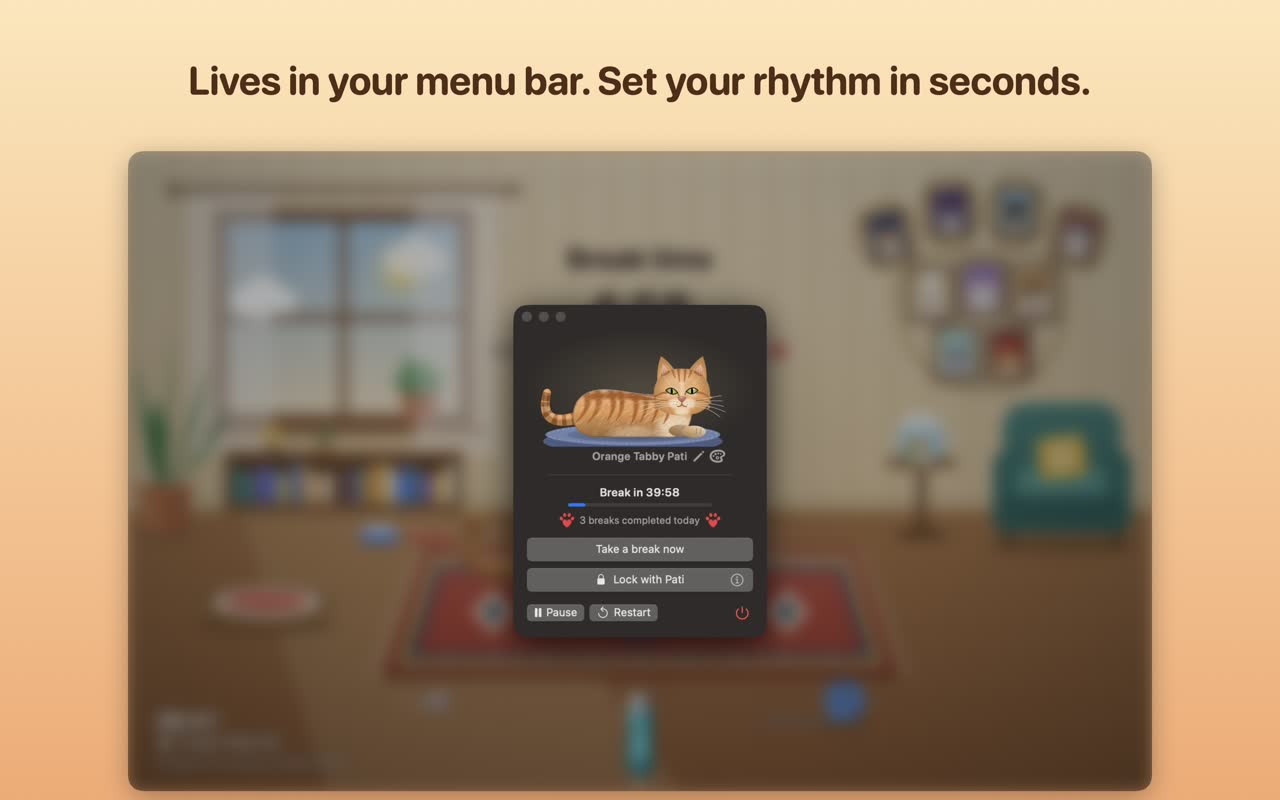
Pati (a cat) and Hav (a dog) are break timers for Mac and Windows. Set the work time and the break time on simple wheels, and the countdown runs quietly in the menu bar (Mac) or system tray (Windows).
Your pet peeks in 60 seconds before the break, so you can finish your sentence. When time is up, it walks onto the screen and lies on your keyboard until the break is over. There is nothing left to type, so your hands are free: stand up, roll your shoulders and stretch.
On a video call or presenting? The meeting shield holds the break until you are done. The shortest break you can set is 10 seconds, enough for a quick shoulder roll and a look out of the window.
Set it up
- Install Pati or Hav from the Mac App Store or Microsoft Store.
- Open the timer from the menu bar or system tray.
- Set the wheels, for example 50 minutes of work and a 5-minute break.
- When your pet lies on the keyboard, pick one stretch from the list above.
Related: eye strain from screens and practical tips for computer work.
BreakPet is a break reminder, not a medical device. Stretching is general advice, not treatment. If you have pain, numbness, tingling or other symptoms, see a doctor before you continue.
Questions
How often should I stretch at my desk?
A common habit is a short stretch break about once an hour, or at every break of your work rhythm. Short and regular is easier to keep than a long routine.
How long should I hold a stretch?
About 20 to 30 seconds is a typical guide. Go gently, breathe, and stop if you feel pain rather than a mild pull.
Can Pati or Hav remind me to stretch?
They remind you to take a break. When the break starts, your pet lies on your keyboard so you have nothing left to type, and you can stand up and stretch. What you do in the break is up to you.
Is it free, and does it run on Windows?
Yes to both. Pati and Hav are free to start with three pets and the special-day guests, and they run on Mac and Windows. Extra pets come in optional one-time packs, with no subscription.